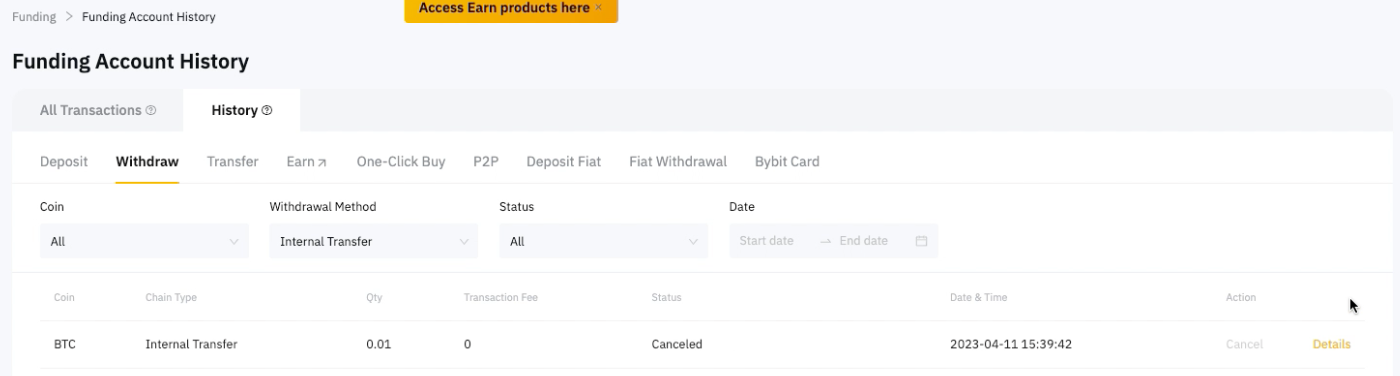
Here’s a step-by-step guide on how to cancel your withdrawal request. There is no fee for canceling a withdrawal request. Once the cancellation is successful, the requested withdrawal amount and the corresponding withdrawal fee will be refunded to your Bybit account.
Step 1: Hover your cursor over Assets in the top right-hand corner of the home page and click on Funding Account.

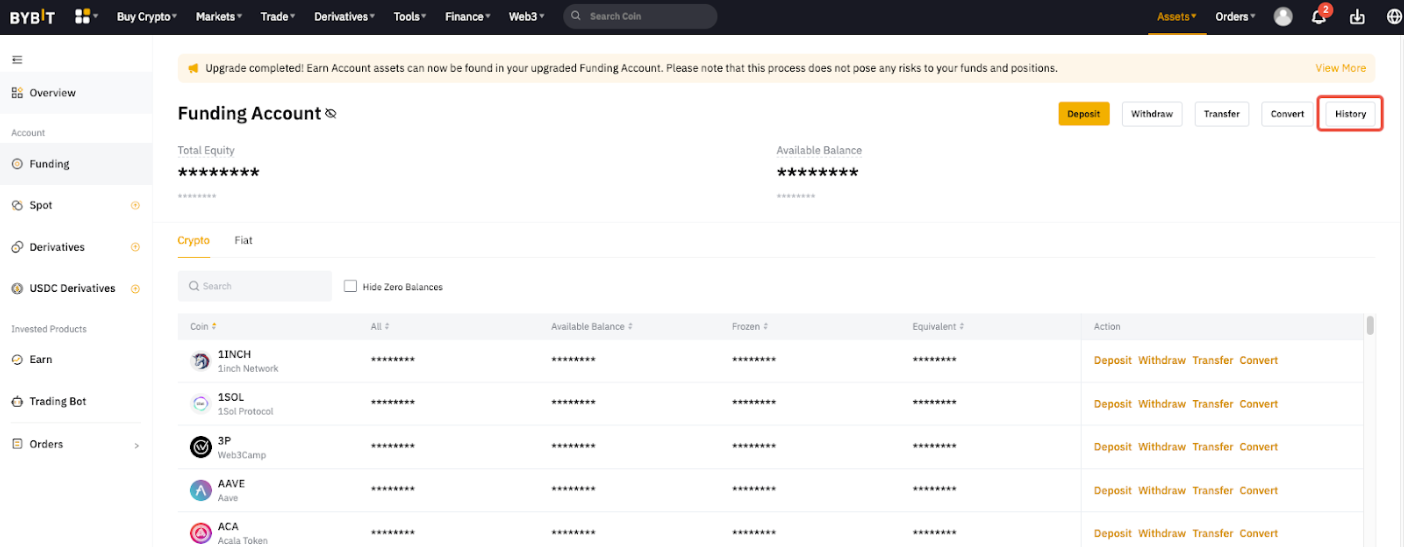
Step 2: Click on History to head to the Funding Account History page.
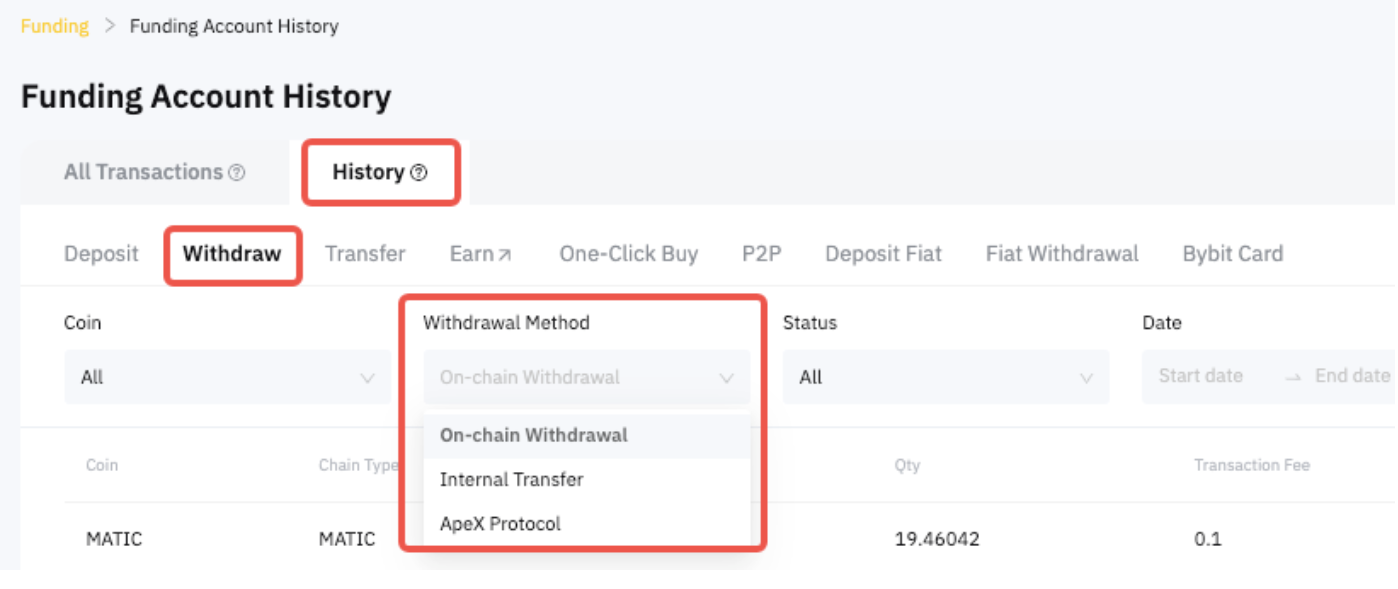
Step 3: Go to History → Withdraw and select the withdrawal method that you used to withdraw.
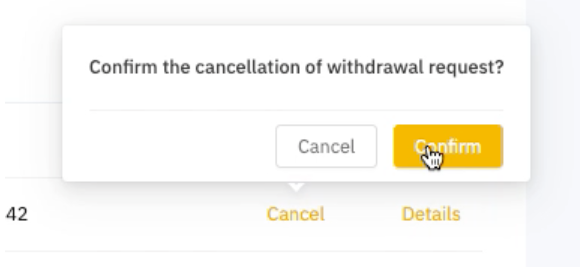
Step 4: Select the particular withdrawal request and click on Cancel on the right side of the page. If the Cancel button is grayed out, it means that you can no longer cancel your withdrawal request as it is already in the process of being completed.
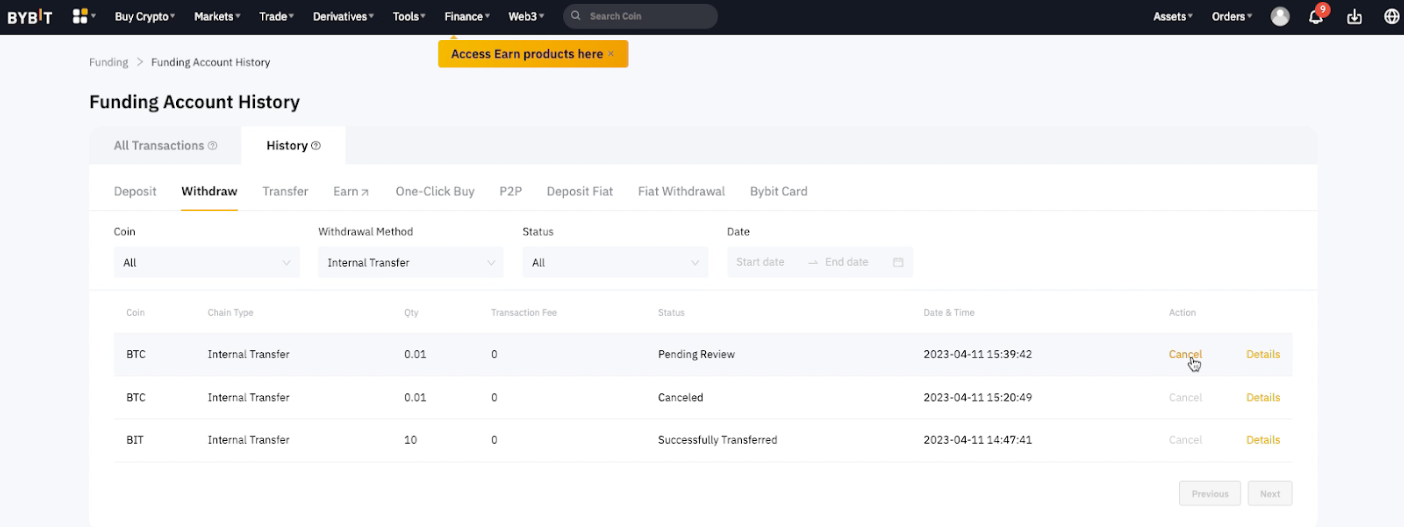
Step 5: Click on Confirm to submit your withdrawal cancellation request.
You have successfully canceled your withdrawal request and you can see the status as Canceled.