Here’s a step-by-step guide for activating Auto Cashback with Rewards Points From your Bybit Card and view your past redemption records
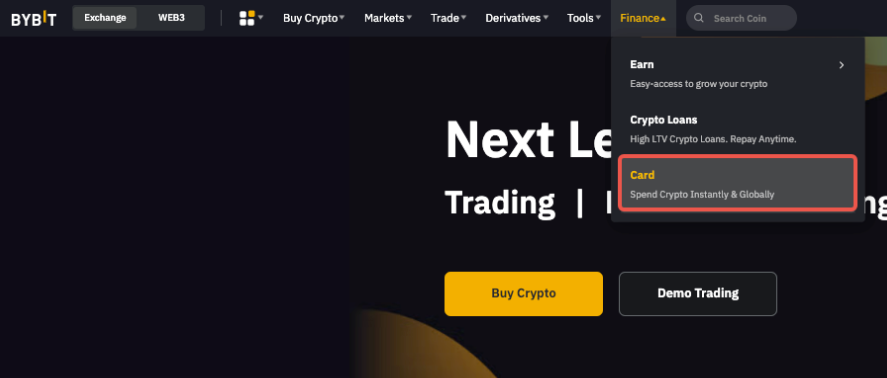
Step 1: Log into your account and hover to Finance → Card.
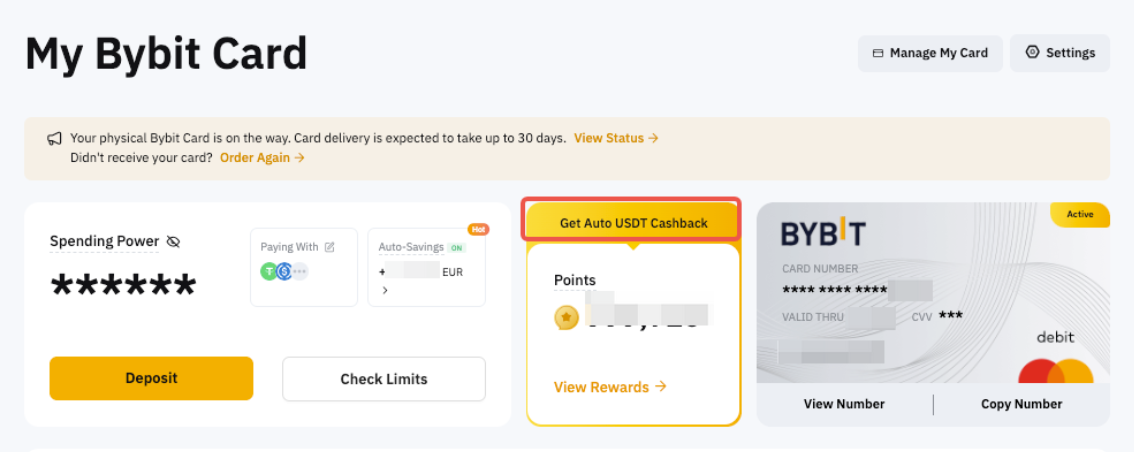
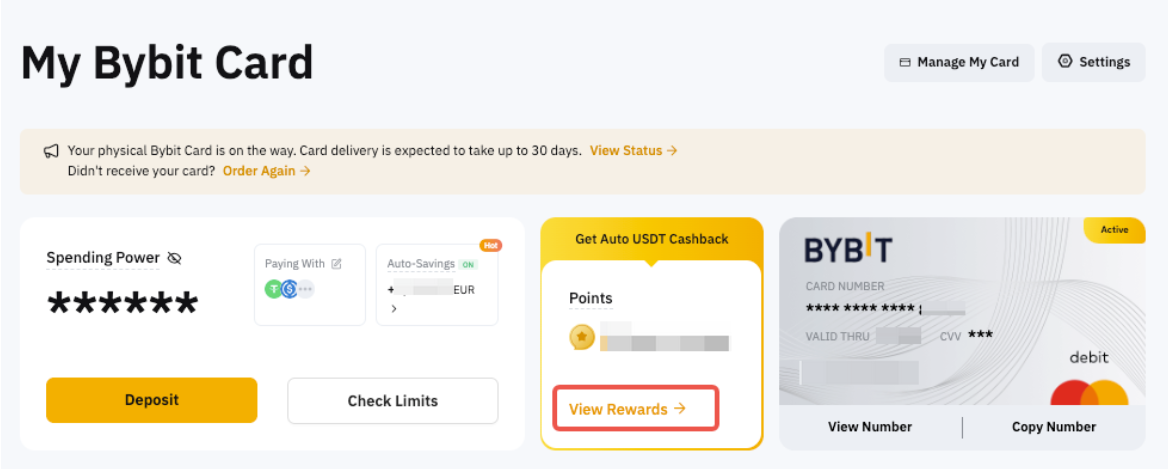
Step 2: Click on View Rewards in the dashboard to enter the Rewards Market and locate the setting.
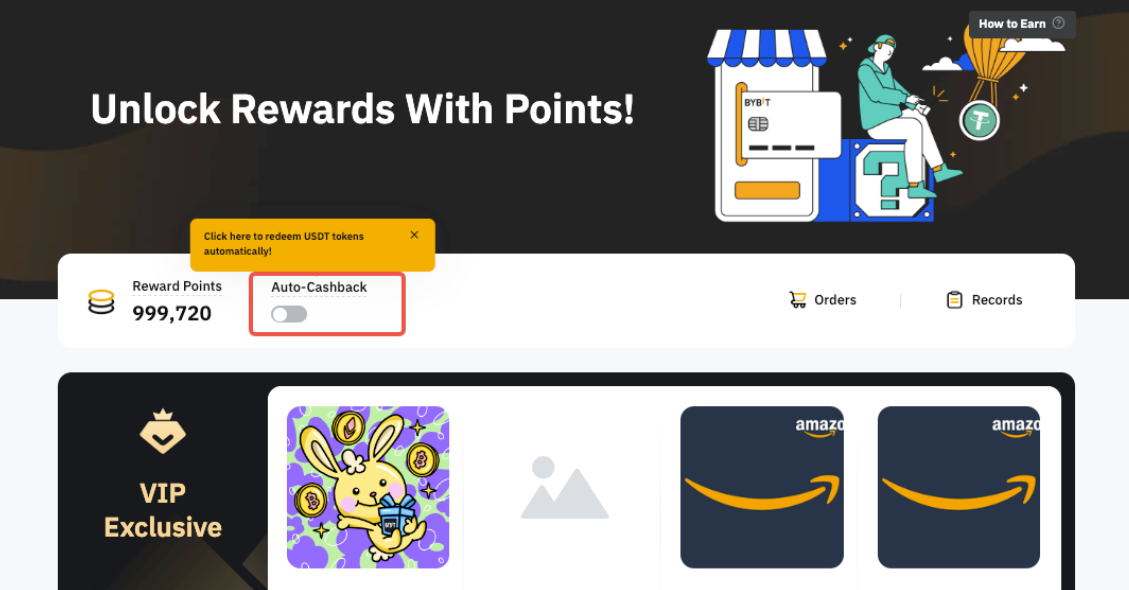
Step 3: Toggle the Auto Cashback button under Rewards Points to activate your cashback from points.
Note:
— The minimum threshold to qualify for automatic cashback with the Bybit Card is 5 points.
— Redemption occurs every day between 00:00 and 01:00 UTC.
— Each tier has a maximum requirement for automatic cashback with the Bybit Card. Please refer here to comprehend the monthly maximum cashback value.
— If you would like to change the cashback token to another, click on the Cashback Token Setting and select the auto-cashback token you wish to receive.
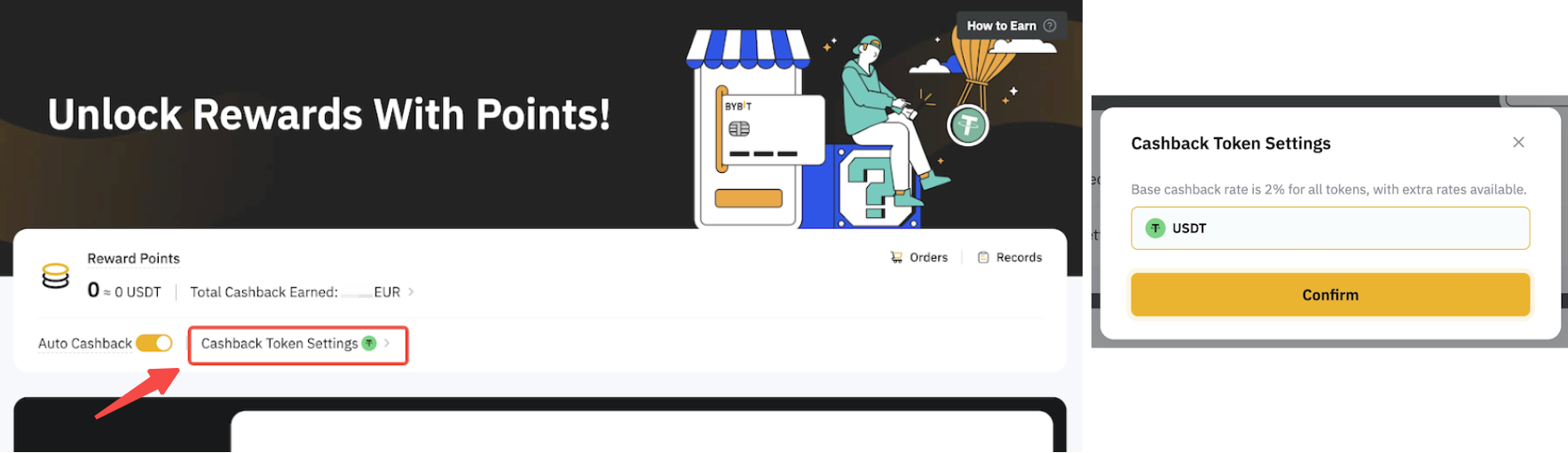
Step 4: After successfully activating Auto Cashback, you'll notice that Bybit Points have been enabled for Auto Cashback on the Bybit Card Dashboard. The points will be converted to the selected token and credit to your Funding Account every day between 00:00 and 01:00 UTC.
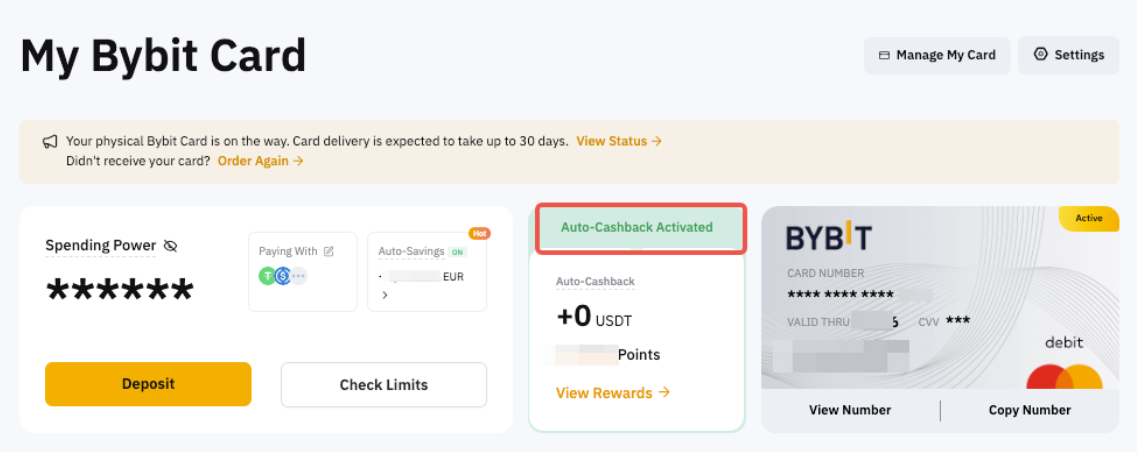
View Your Past Auto Cashback Records
Step 1: Click on View Rewards in the dashboard to enter the Rewards Market.
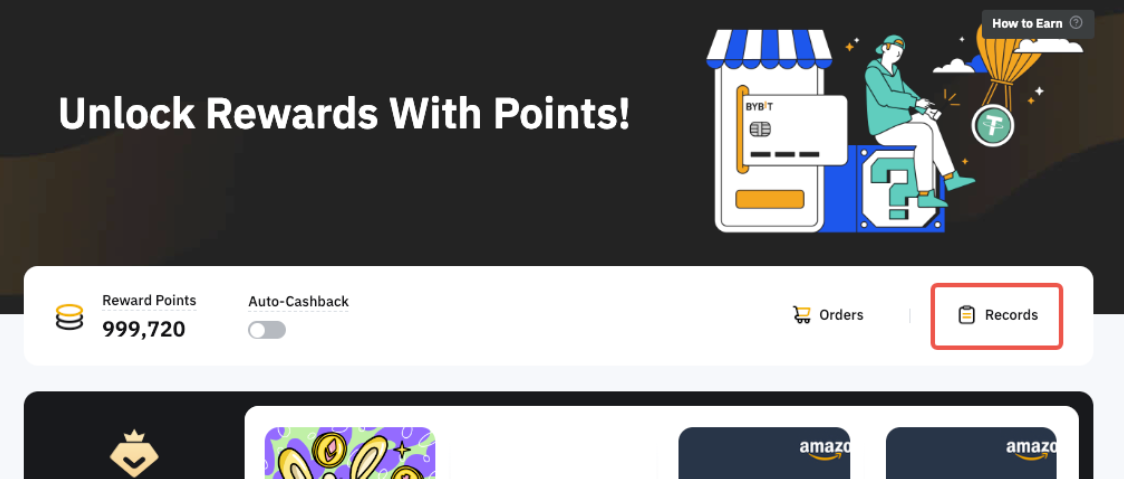
Step 2: Click on Records.
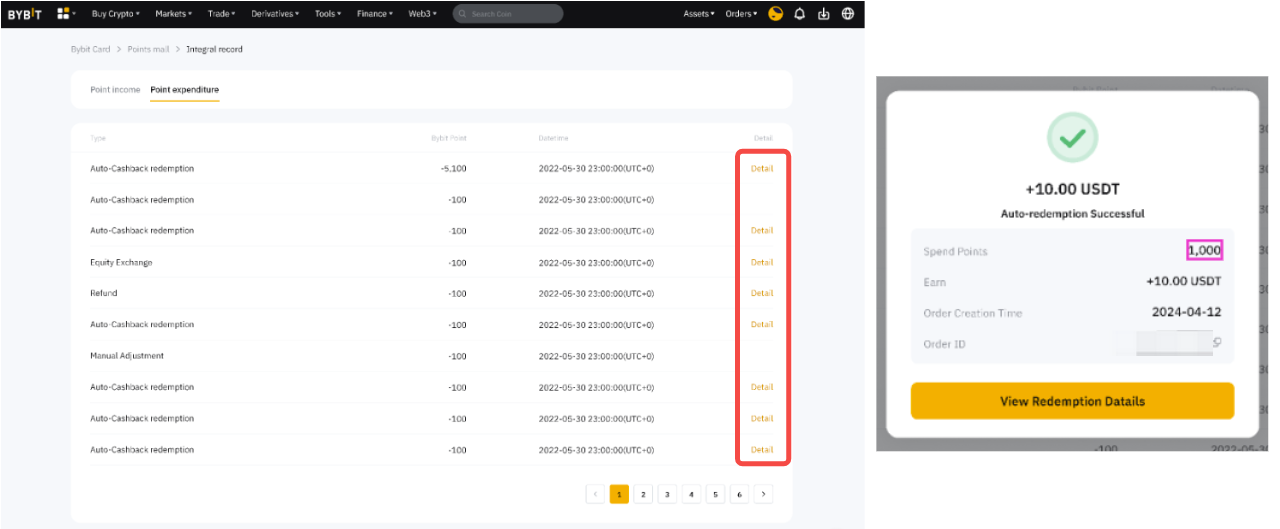
Step 3: Click on the Deducted tab to locate the cashback redemption record. You can also click on Detail to view the detailed information.
As the cashback will be credited to your Funding Account, you can also find the relevant deposit record in your Funding Account History.